Building conditional logic in your templates
You can adapt the output of a template based on whether certain conditions are met. This allows you to create a dynamic and fully customizable template.
PhraseExpander offers a few ways to do that. Each one can be more suitable based on the result you want to achieve.
If / then Macro
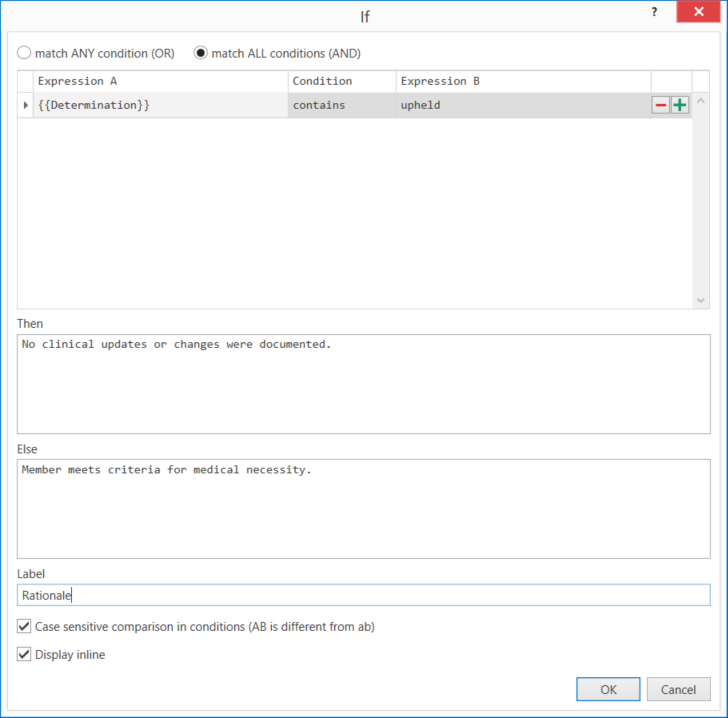
With the if macro, you can insert a specified text (including the display of additional variables that request data from the user) when one or more conditions are met.
You can create if/else statements or multiple if statements to address complex if-logic scenarios.
Nested Variables
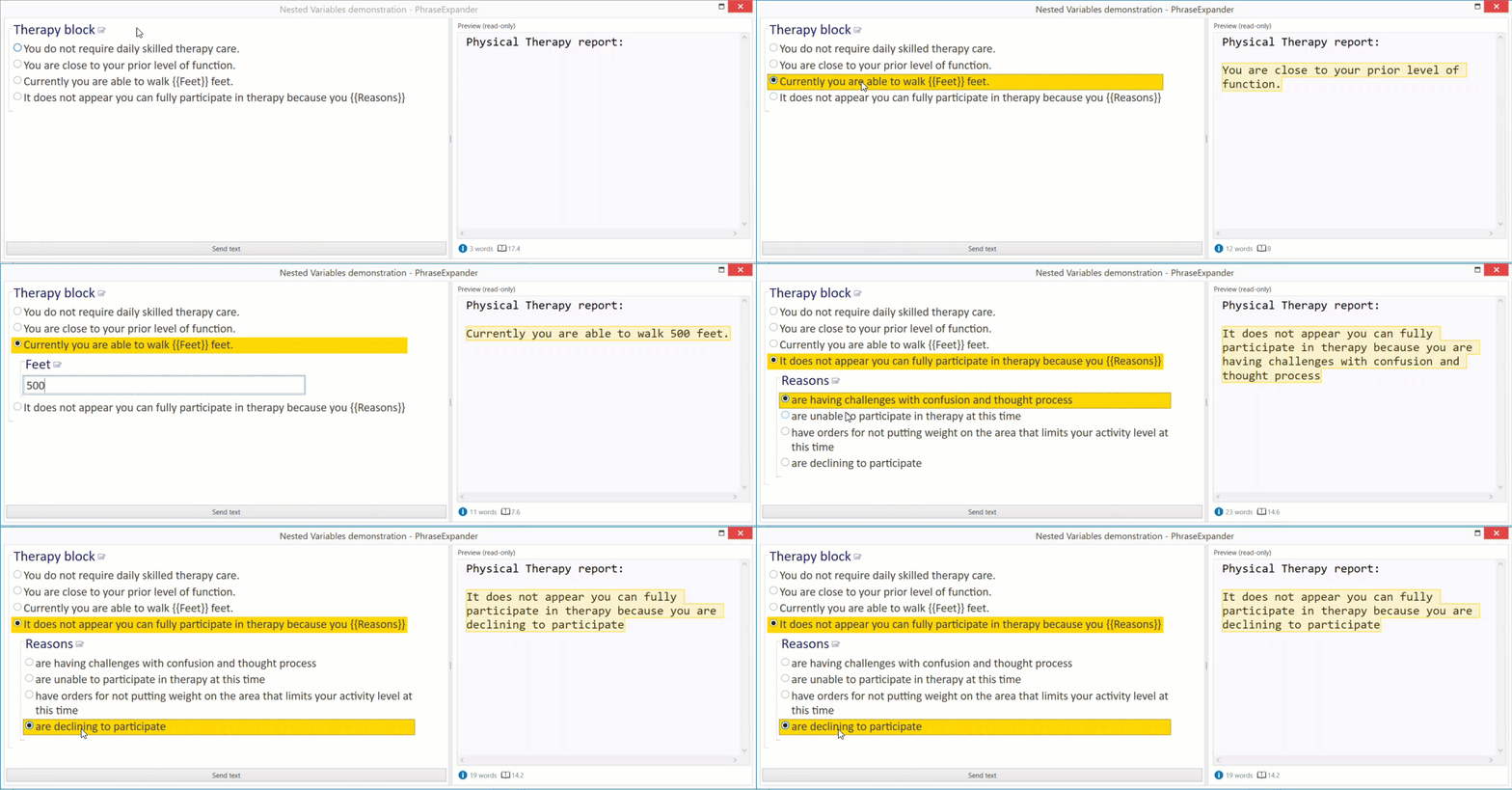
Nested variables allow you to automatically prompt follow-up questions based on your selections.
Section Macro

The section macro lets you create blocks of text that can be toggled.
The main difference between the section and the other two options is that sections are toggled manually (you can decide if, by default, the section's contents are visible or hidden).